EDH Swipe
A Tinder-style interface for discovering Magic: The Gathering commanders
EDH Swipe
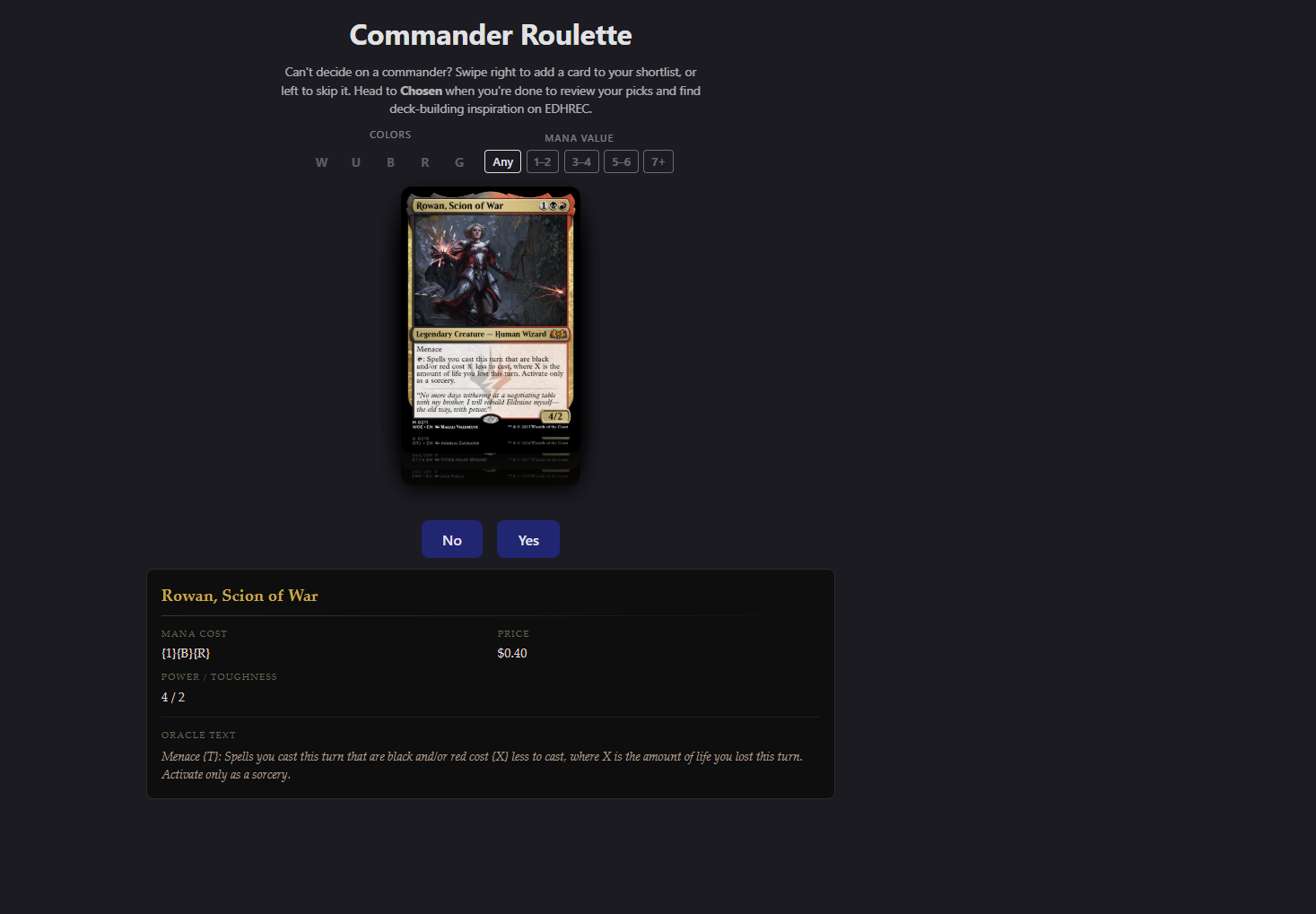
A simple Tinder-style interface for discovering Magic: The Gathering commanders. Click yes to save commanders you like, click no to see the next one, and view your saved collection in a separate tab.
View on GitHub Try Live DemoOverview
I created this project to make finding commanders for new EDH decks less overwhelming. Instead of scrolling through endless lists, you’re presented with one card at a time and make a quick decision. You can than look at this list later to help you figure out what commander you want to build out next
Tech Stack
Frontend
- React with TypeScript
- Scryfall API for card data
- Local storage for saved commanders
- GSAP
Key Features
Card-by-Card Discovery
- Simple yes/no buttons to make quick decisions
- One commander displayed at a time
- Automatic progression to next card
- Card images from Scryfall
Saved Collection
- Separate tab to view all saved commanders
- Remove cards from your collection
- Persistent storage across sessions
- See card on edh rec for deck ideas
Development Journey
This was a focused project to practice working with external APIs and managing simple state. Also practiced using gsap animations for the card swiping feature. The main challenges were:
- API Integration: Learning to work with Scryfall’s REST API and understanding their data structure
- State Management: Keeping track of seen cards and saved commanders
- Local Storage: Persisting the collection without a backend
- GSAP Animations: Learning to use the useGSAP hook, as well as how Draggable works.
What I Learned
Working with External APIs
I learned how to read API documentation, handle JSON responses, and structure my code to work with external data sources. Including the importance of having fallbacks for when external api does not include what you expected.
GSAP Animations
I learned how to interact with the gsap framwork to add animations to the site while using their draggable abstraction in order to implement the card swiping feature. Using GSAP saved alot of time to finish up the project.
Simple State Management
Managing which cards have been seen and which are saved taught me practical state management patterns. Local storage provided a straightforward way to persist data without needing a backend.
Future Enhancements
- Add ability to export saved commanders as a list
- Accounts to save session across devices